Missing Reference Finder
Hunt down broken references hiding in scenes and prefabs.
Prevent build errors and runtime issues before they happen.
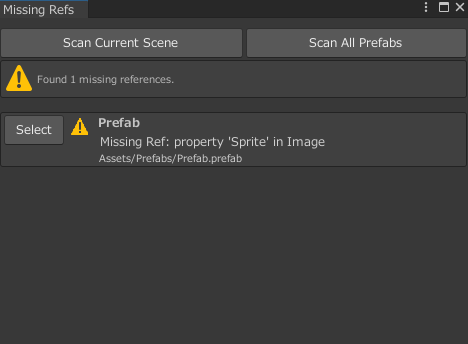
* Download available immediately after purchase
Broken references quietly create bugs
As development continues, scripts get deleted or renamed and assets are moved around. Over time, broken references can build up without anyone noticing. Have you ever had a build or runtime suddenly fail, only to spend hours tracking down the cause?
Missing Reference Finder scans scenes and prefabs for both Missing Script problems and broken references in one pass. It helps you spot issues early, so you can keep your project in a state that is safe to build and easier to maintain.
Key Features
Deep-Scan Entire Scenes at Once
The tool recursively scans every GameObject and component in the currently open scene. It even checks non-public fields marked with SerializeField, allowing it to surface broken references that are easy to miss with manual inspection.
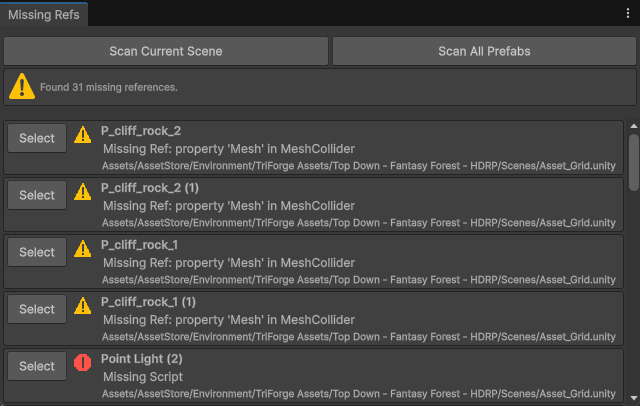
Check Prefab Assets Too
You can also include every prefab in the project as part of the scan target. That means you can catch broken references hiding in prefabs that are not currently placed in a scene but may still cause trouble later.
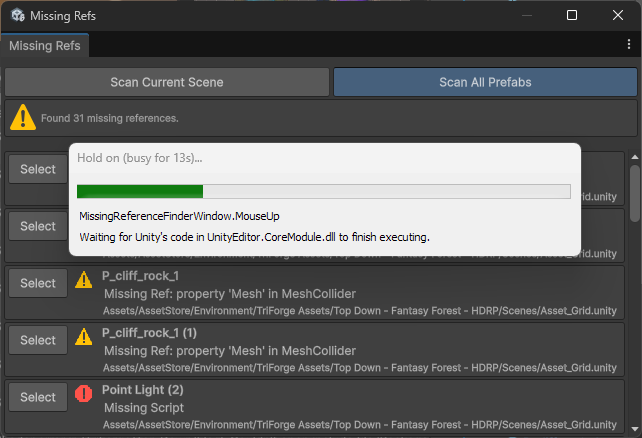
Catch Missing Scripts Reliably
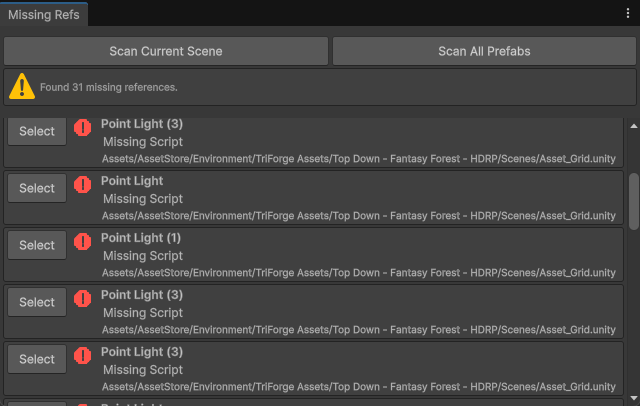
The tool also detects the especially troublesome Missing Script state. It makes it clear which object has lost which script reference, which is extremely useful after large refactors, file moves, or accidental deletions.
Basic Usage
- Open the window: Select
100Lab > Missing Reference Finderfrom the menu. - Select a scan target: Choose either Scene or All Prefabs.
- Run the scan: Click the Scan button.
- Review the results: Detected issues appear in a list. Use Select to jump directly to the relevant object.
Best Times to Run It
- Before a build: Use it as a final check before release.
- After refactoring: Run it after moving or renaming scripts.
- During asset cleanup: Run it after deleting unused prefabs or assets.
- After merges: Use it to validate the project after Git merges.
FAQ
Q: What is the difference between Missing Script and a broken reference?
A: Missing Script means the script file that used to be attached as a component can no longer be found. A broken reference means a field, often set through SerializeField, points to an asset or object that is no longer valid.
Q: Can it detect nested prefabs?
A: Yes. It recursively scans nested child prefabs and the components inside them.
Q: Can it automatically fix detected issues?
A: No, automatic repair is not included. The causes behind missing references vary too much, so this tool focuses on fast and reliable discovery. Once found, you can jump to the affected object and fix it manually.
Requirements / License
- ✅ Recommended for Unity 2022.3 LTS or later
- ✅ Commercial use allowed
-
Team License: $5
(for shared use in team development) - 📄 Read the full license terms